
Hi friends in this post I am sharing about scraper similar.Before saying in internet related about scraper ,let we see about scraper in general meaning (or) terms.In general, scraper is a sharp tool used to erase the dirt part, other unwanted matter from a surface.In terms of internet related ,scraper is a tool which is used to extract text or links or images from a website.And here we are going to see about scrape similar tool which is a free chrome extension.
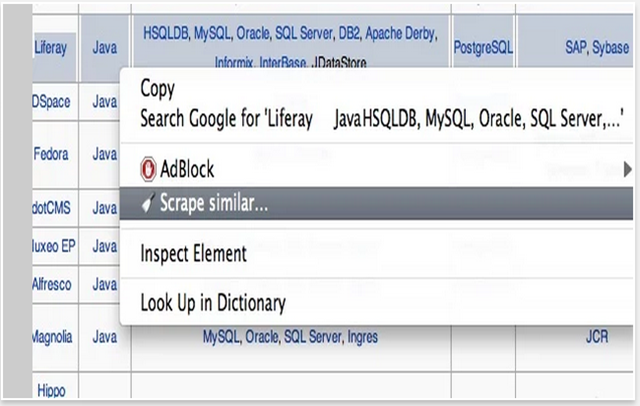
Note:The extension name will be “scraper” After installing,when you right click with mouse you will see as “scrape similar”
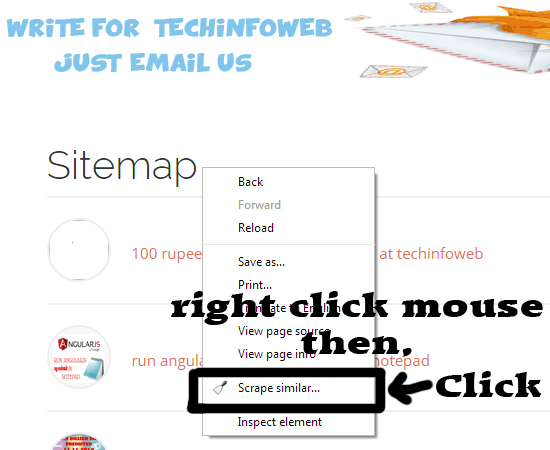


Note:The extension name will be “scraper” After installing,when you right click with mouse you will see as “scrape similar”
Use of scraper
- If you have a blog and website and want to take links then scraper is the best way to do it.
- Also used to improve search engine rankings.
- You can select a particular region of a web page and can take links from the selected part only.

- A popup window opens and in that choose selector as xpath and next click preset.Now another popup window opens in that choose links like below.

- In the preset popup window, choose links

- Now it display all the links like below image.

- Now you can export these to google docs.At present it have some issues but not worse.And also the option is only export to google docs.Don’t worry ,still there is a way to save in excel.
Simple trick to save links in excel
- Just copy all the links (or) use CTRL+A button then copy and open excel .Now use the paste special option and choose text.That’s all .Now all titles and links placed correct in the column without any problem.
No comments:
Post a Comment